The Complete Guide to AI Headshots in 2026: Everything You Need to Know
Comprehensive guide covering how AI headshots work, pricing ($29-$59), quality comparisons vs photographers, best tools, and tips for LinkedIn, corporate, and industry-specific use.
By SnapProHead Team
Professional headshots used to mean booking a photographer, blocking half a day, and spending $200 to $800 for a handful of edited photos. In 2026, AI headshot generators have rewritten that equation. Upload a series of selfies, and AI produces 40 to 100 studio-quality portraits in about 25 minutes -- starting at $29.
This guide covers everything you need to know about AI headshots: how the technology works, what you get for your money, how AI compares to traditional photography, which tools lead the market, and how to get the best possible results whether you need a single LinkedIn photo or headshots for your entire company.
New to AI headshots? Start with the how it works section. Ready to compare tools? Jump to best AI headshot generators. Budget-focused? See our pricing comparison.
For profession-specific guidance, explore our dedicated pages: LinkedIn headshots, lawyer headshots, doctor headshots, realtor headshots, executive headshots, and corporate team headshots.
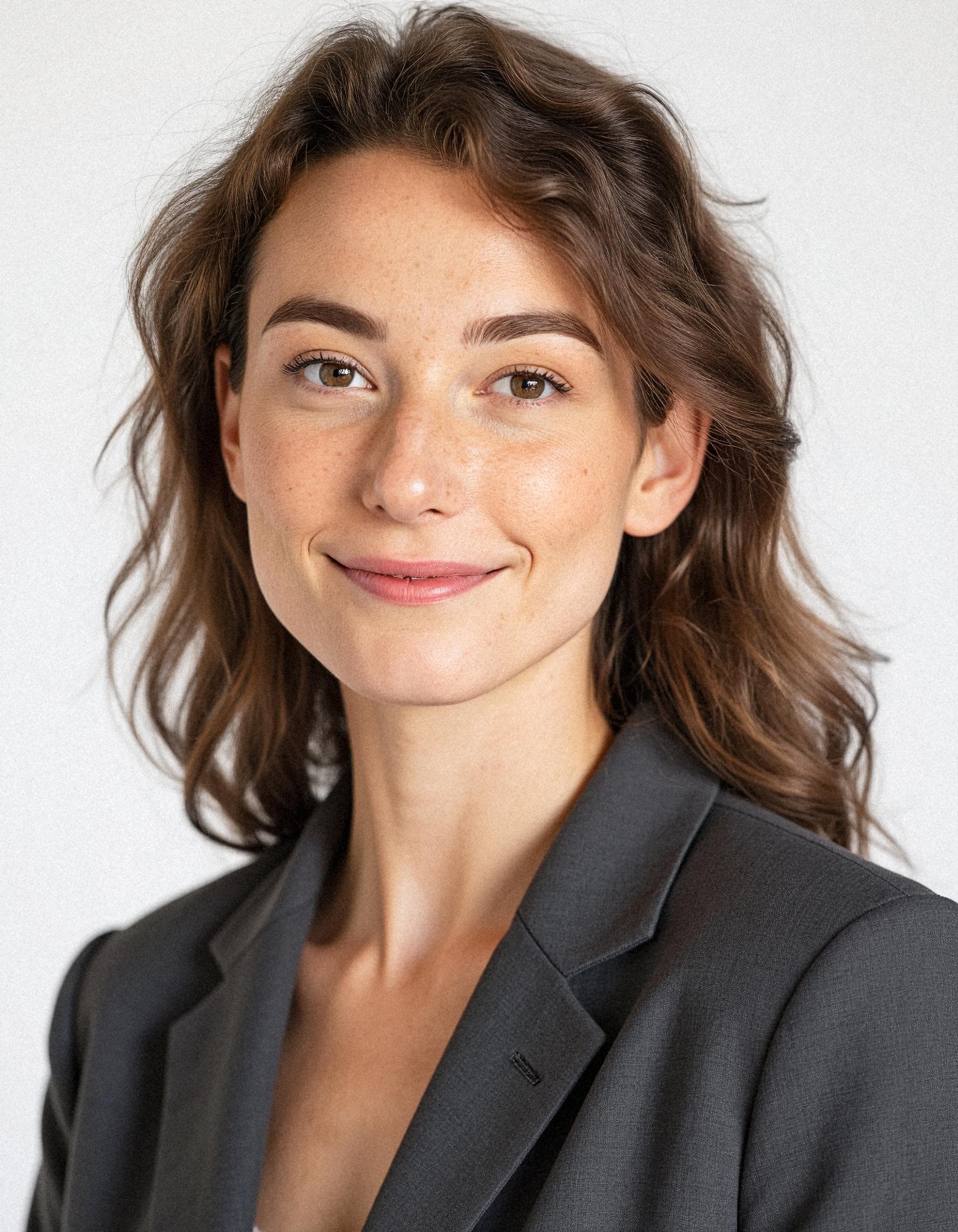
How AI headshots work
AI headshot generators use a type of machine learning called generative AI. Instead of hiring a photographer to capture you in a studio, the AI learns what you look like from selfies you upload -- then generates entirely new images of you in professional clothing, studio lighting conditions, and different backgrounds.
The step-by-step process
-
Upload selfies -- You provide 8 to 15 photos of yourself. These should show your face from different angles, in good lighting, without sunglasses, hats, or heavy filters. Think: phone selfies taken near a window on different days.
-
AI trains on your face -- The AI model creates a mathematical representation of your facial features, expressions, and skin textures. This is not a simple face-swap -- the model learns your likeness well enough to generate new images where you maintain your identity across different poses, outfits, and lighting.
-
Generation -- Using a base model like Flux AI, the system generates dozens or hundreds of headshot candidates. Each image places your likeness into a professionally composed portrait: blazer, studio backdrop, natural expression, soft key light.
-
Quality filtering -- The system filters out images with obvious artifacts, poor likeness, or unnatural expressions. You receive the best results -- typically 40 to 100 photos depending on your plan.
-
Download and use -- Your headshots are ready to download. Use them on LinkedIn, your company website, email signatures, conference badges, or anywhere else you need a professional portrait.
The entire process -- from uploading selfies to downloading finished headshots -- takes approximately 25 minutes on SnapProHead. Other tools range from 10 minutes to 24 hours depending on their infrastructure and queue length.
What the AI actually generates
AI headshot tools do not simply apply a filter to your existing photos. They generate entirely new images that:
- Place you in different outfits -- blazers, business casual, button-downs, even specific industry attire
- Change your background -- studio backdrops, office environments, outdoor settings, modern interiors
- Adjust lighting -- professional key lights, hair lights, fill lights that mimic a studio setup
- Vary your pose and framing -- close-up headshots, waist-up portraits, slightly different angles and expressions
This is fundamentally different from photo editing or face-swapping apps. A quality AI headshot generator produces images that look like they were taken during a real studio photo session -- even though you never left your desk.
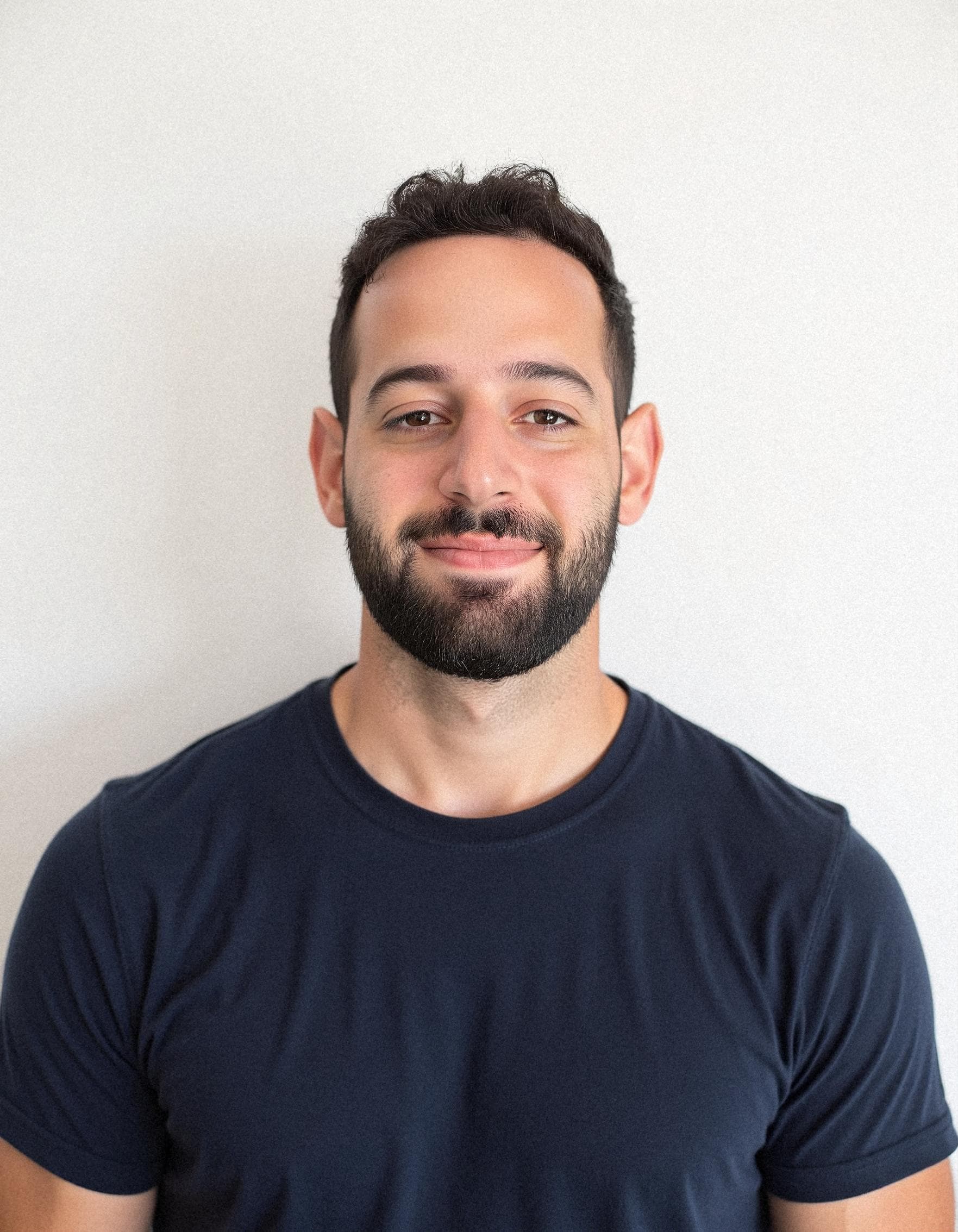
Types of AI headshots
Not all AI headshots are created equal. Different use cases call for different styles, and the best AI tools let you choose or describe what you need.
Standard professional headshot
The most common type -- a shoulders-up or waist-up portrait with a neutral or studio background. Perfect for LinkedIn profiles, company directories, and business bios. These emphasize a polished, approachable look with natural expressions and clean lighting.
Industry-specific headshots
Certain professions benefit from tailored styling. A lawyer's headshot typically calls for formal attire and a conservative backdrop. A doctor may want a warmer, more approachable look -- possibly with a clinical or office setting. A realtor often needs an outdoor or lifestyle-oriented shot that feels friendly and accessible.
SnapProHead offers dedicated pages with style guidance for LinkedIn professionals, lawyers, doctors, realtors, executives, and corporate teams.
Executive and leadership headshots
Executive portraits emphasize confidence, authority, and approachability. They typically use darker backgrounds, sharper lighting, and an authoritative expression. The framing is often tighter -- a head-and-shoulders crop that works well on leadership pages, conference speaker bios, and board profiles.
See our executive headshots page for style examples and recommendations.
Team and corporate headshots
When a company needs headshots for everyone -- from the CEO to the newest hire -- consistency matters. AI headshot tools can produce team photos where everyone matches in background, lighting style, and overall look. This creates a cohesive "About Us" page that feels professional and intentional.
Read our team headshots guide for rollout strategies, or visit our corporate headshots page for style options.
Casual and lifestyle headshots
Some roles benefit from a more relaxed, approachable look. Sales professionals, creative roles, and startup team pages often use lifestyle-oriented headshots with outdoor backgrounds, casual attire, or relaxed poses. AI tools can generate these just as easily as formal portraits -- you just describe the style you want.
See our sales professionals guide for examples of how approachable headshots drive credibility and connection.
AI headshots vs traditional photography
The question most people ask: can AI headshots really replace a professional photographer? The answer depends on your use case, budget, and expectations.
Quality comparison
For LinkedIn, company websites, email signatures, and business directories, modern AI headshots are indistinguishable from studio portraits at typical viewing sizes. Tools running Flux AI at 1024x1024 resolution (like SnapProHead) produce images with natural skin texture, realistic lighting, and consistent framing.
Traditional photographers still hold an advantage in specific scenarios:
- Billboard and large-format print -- where ultra-high resolution and precise lighting control matter
- Bespoke creative direction -- when you need a specific concept, location, or art-directed vision
- Annual reports and regulatory filings -- some publicly traded companies require official photographer-vetted portraits
- Personal preference -- some people simply prefer the experience of working with a human photographer
For the 95% of professionals who just need to look polished on LinkedIn and their company website, AI headshots deliver comparable quality at roughly 1/10th the cost and 1/100th the time investment.
Speed comparison
| Approach | Time commitment | Turnaround |
|---|---|---|
| AI headshots | ~15 minutes uploading selfies | ~25 minutes to delivery |
| Traditional photographer | 3-5 hours (commute, shoot, wait) | 1-2 weeks for edited files |
| DIY at home | 1-3 hours (setup, shoot, cull, edit) | Same day to a few days |
For a professional who needs a headshot this week -- for a conference, a job application, or a website refresh -- AI is the clear speed winner. There's no scheduling, no commute, and no week-long wait for edited files.
Cost comparison
| Approach | Cost | Output |
|---|---|---|
| AI headshots | $29-$59 | 40-100 photos |
| Budget photographer | $100-$250 | 1-2 edited photos |
| Mid-range photographer | $250-$500 | 3-5 retouched photos |
| Premium photographer | $500-$1,200+ | 5-10 photos |
| DIY (equipment + edit) | $50-$300+ | Unlimited with your time |
Read our complete headshot cost comparison guide and the detailed AI vs photographer cost breakdown for deeper analysis.
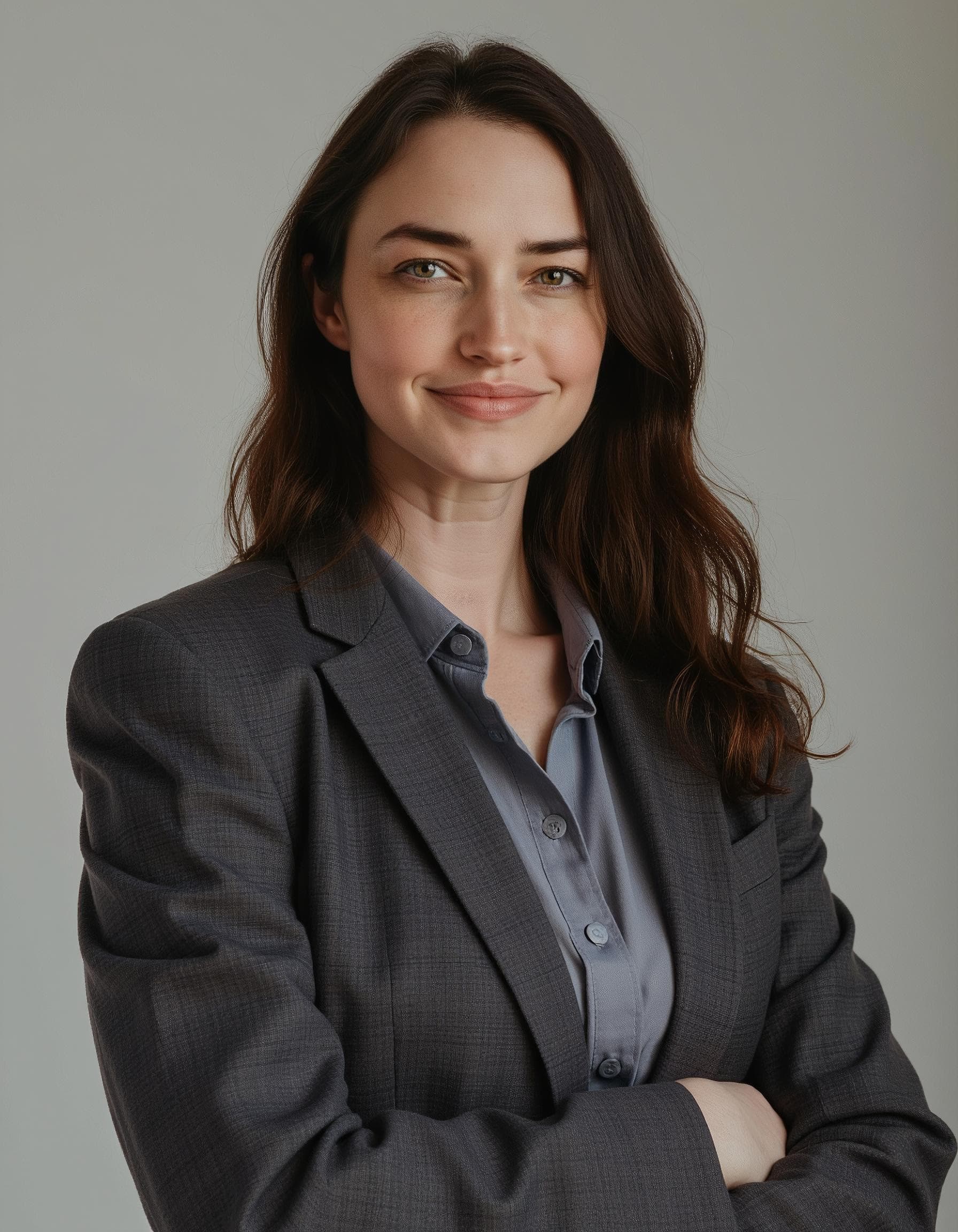
Best AI headshot generators in 2026
The AI headshot market has matured significantly. Here are the leading tools professionals actually use in 2026, based on pricing transparency, output quality, speed, and privacy posture.
Market overview
| Tool | Entry price | Photos | Turnaround | Best for |
|---|---|---|---|---|
| SnapProHead | $29 | 40-100 HD | ~25 min | Speed + value for individuals |
| Aragon AI | ~$35+ | Varies | Hours-1 day | Brand familiarity + style variety |
| HeadshotPro | ~$29+ | Varies | ~10-60 min | Team rollouts + corporate |
| BetterPic | ~$35+ | Varies | ~1 hour | Premium UX, guided experience |
| Secta Labs | ~$49 | 16 + 4 retouched | ~2 hours | Retouching-focused output |
| TryItOn AI | ~$29+ | Varies | Varies | Entry-level AI headshots |
| Dreamwave AI | ~$29+ | Varies | Varies | General-purpose AI portraits |
Prices and features as of June 2026. Always confirm on each vendor's site before purchasing.
SnapProHead
SnapProHead is built for professionals who want maximum photos per dollar and fast turnaround. Using Flux AI at 1024x1024 resolution, SnapProHead delivers 40 to 100 headshots in approximately 25 minutes from $29. The tool offers three transparent tiers: Basic ($29 for 40+ photos), Professional ($39 for 60+ photos), and Executive ($59 for 100+ photos). All plans include full commercial rights and a satisfaction guarantee. Privacy posture: delete on request.
Aragon AI
Aragon AI is one of the earliest names in AI headshots with strong brand recognition and an extensive review profile. They offer multiple tiers with varying numbers of photos and styles. Delivery times range from hours to a day depending on tier. Best for users who want an established vendor name and are comfortable comparing plans carefully.
HeadshotPro
HeadshotPro differentiates with a strong focus on team and corporate rollouts. They offer volume discounts, admin dashboards, and workflows designed for HR managers outfitting 20 to 500 employees. For solo professionals, the team-oriented features may feel like overhead. Best for companies needing consistent headshots across many employees.
BetterPic
BetterPic positions itself as a premium AI portrait service with a polished consumer experience. Their guided upload and checkout flow appeals to non-technical users. Plans are typically priced higher than budget entrants. Best for users who prioritize a clean experience over the lowest price.
Secta Labs
Secta Labs takes a retouching-focused approach -- their base package includes human-reviewed touch-ups alongside AI generation. This adds quality control but also adds cost: their entry tier starts at approximately $49 for 16 plus 4 retouched photos. Best for users who want human review of AI output.
For full head-to-head comparisons, read our detailed reviews: SnapProHead vs Aragon AI, SnapProHead vs HeadshotPro, SnapProHead vs Secta Labs, SnapProHead vs TryItOn AI, and SnapProHead vs Dreamwave AI. For a broader market view, see our best AI headshot generators guide.
AI headshot pricing in 2026
AI headshot pricing is straightforward compared to traditional photography -- but plans vary significantly across tools. Here's what to expect and how to compare effectively.
Typical price ranges
| Tier | Price range | What you typically get |
|---|---|---|
| Entry / budget | $29 - $39 | 20-60 headshots, basic styles |
| Mid / professional | $39 - $59 | 40-100 headshots, more styles |
| Premium / executive | $59 - $99+ | 80-200 headshots, all styles, priority support |
SnapProHead pricing tiers
| Plan | Price | Headshots | Styles | Best for |
|---|---|---|---|---|
| Basic | $29 | 40+ HD | 10 | Budget-conscious professionals |
| Professional | $39 | 60+ HD | 20 | Job seekers who want options |
| Executive | $59 | 100+ HD | 30 | Leaders who need variety + polish |
All plans include 1024x1024 resolution via Flux AI, full commercial rights, ~25-minute delivery, and a satisfaction guarantee.
Cost per usable photo
The smartest way to compare AI headshot tools is cost per usable photo, not just the headline price. If Tool A costs $29 for 40 photos ($0.72/photo) and Tool B costs $35 for 20 photos ($1.75/photo), Tool A gives you more than double the value -- even though both "sound" like $30 tools.
Also consider: most people use 3-5 headshots across their professional presence (LinkedIn, company website, email, conference bios). A 40-photo batch gives you plenty of options. A 100-photo batch gives you variety for different seasons, platforms, and contexts.
Hidden costs to watch for
- Re-generation fees -- some tools charge extra if you don't like your first batch. Look for a satisfaction guarantee that includes free redo.
- Commercial licensing -- some tools charge extra for commercial rights. SnapProHead includes full rights on all plans.
- Watermarks -- "free" AI headshot tools often watermark output. Read our free AI headshot analysis before trying one.
- Subscription traps -- some tools default to monthly billing. Always read the checkout page.
For the most detailed financial breakdown, read our professional headshot cost comparison.
How to get the best AI headshot results
The quality of your AI headshots depends primarily on the quality of your input selfies. Here's how to maximize your results regardless of which tool you use.
Upload 10-15 diverse selfies
The AI needs enough data to learn your face accurately. Upload at least 10 photos -- ideally 15. Include:
- Different days -- varied lighting and expressions from different moments
- Angles -- straight-on, slight left turn, slight right turn
- Framing -- shoulders-up, waist-up, and a few full-face close-ups
- Lighting variety -- window light, indoor, outdoor (but avoid harsh direct sun)
- Expressions -- neutral, slight smile, full smile (avoid extreme expressions)
Use high-quality selfies
- Good lighting -- natural window light or even indoor lighting. Avoid harsh overhead lights, which cast unflattering shadows.
- Sharp focus -- blurry or grainy photos reduce output quality. Use your phone's main camera, not the selfie camera, if possible.
- No filters -- turn off beauty mode, portrait mode blur, and Instagram filters. The AI needs to see your real face.
- No obstructions -- remove sunglasses, hats, and heavy jewelry. Show your ears and hairline.
- Solo shots only -- do not upload group photos. The AI needs to identify which face is yours.
Dress appropriately in your selfies
What you wear in your input selfies influences the AI's output. Wear a neutral-colored top or button-down in at least a few of your selfies -- not a tank top or graphic t-shirt. The AI will generate you in professional attire, but good input clothing helps it understand your body proportions and shoulder line.
Choose your use case first
Before generating, decide where your primary headshot will live. LinkedIn calls for a close-up, approachable look. A company website bio page may need a wider waist-up crop. A conference speaker bio might need something more polished and formal. Knowing your use case upfront helps you pick the right style presets.
Review and pick the best
AI generates many options -- some will look more like you than others. Download your batch and spend a few minutes picking the 5-10 best. What looks "most like you" is subjective, so ask a colleague or friend which headshot they think captures you best. The one you pick for LinkedIn doesn't have to match the one on your company website.
For more detailed tips, read our LinkedIn profile picture guide and how to take a headshot at home.
AI headshots for different industries
One of the advantages of AI headshots is the ability to generate industry-appropriate styling without hiring a specialized photographer. Here's how different professions use AI headshots effectively.
LinkedIn and general professional use
The most common use case. A clean, approachable headshot on LinkedIn profile gets 21x more views and 9x more connection requests, according to LinkedIn data. AI headshots let you refresh your profile photo seasonally or after any appearance change, without booking a new session each time.
See our LinkedIn headshot page for style recommendations, framing tips, and background suggestions optimized for the platform.
Legal professionals
Lawyers, paralegals, and legal consultants need headshots that convey trust, authority, and professionalism. AI headshots for legal professionals typically feature dark suits, conservative backgrounds, and confident but approachable expressions. Many law firms now use AI headshots for associate bios, website directories, and conference materials.
Explore our lawyer headshots page and AI headshots for lawyers guide for industry-specific tips.
Medical professionals
Doctors, dentists, and healthcare providers benefit from headshots that feel warm and trustworthy. White coats, soft lighting, and approachable expressions work well. Medical group practices increasingly use AI headshots to maintain consistent, up-to-date provider photos across their website and patient portals.
See our doctor headshots page and AI headshots for doctors guide.
Real estate agents
Realtors need headshots that feel approachable and trustworthy. Outdoor backgrounds, casual-professional attire, and natural lighting are common preferences. Because real estate branding changes with new listings and market positioning, agents often refresh headshots more frequently than other professionals.
Check out our realtor headshots page and AI headshots for realtors guide.
Sales professionals
Sales roles depend on credibility and connection. A polished headshot in email signatures, LinkedIn profiles, and company team pages builds trust before the first conversation. AI headshots let sales teams maintain consistent, professional branding without the logistical headache of scheduling individual photo sessions.
Read our dedicated sales professionals guide.
Executives and leadership
C-suite and senior leadership headshots appear in high-visibility contexts: investor decks, press releases, conference materials, and board profiles. AI headshots for executives emphasize confident, polished styling with darker backgrounds and authoritative framing.
See our executive headshots page for style examples.
Corporate and team use
When an entire company needs headshots, AI solves the consistency problem. Every employee gets the same background, lighting style, and overall look -- something nearly impossible to achieve with individual photographer sessions spread across months or years. HR teams use AI headshots for new hire onboarding, website refreshes, and internal directories.
Read our corporate headshots page and team headshots guide.
Privacy and data handling
Privacy is one of the most important considerations when choosing an AI headshot tool. You are uploading photos of your face -- understanding what happens to them matters.
Key privacy questions to ask
- Data retention -- How long does the vendor keep your selfies and generated images?
- Training use -- Are your photos used to train the AI model for other customers?
- Third-party sharing -- Are your images shared with affiliates, partners, or data brokers?
- Deletion policy -- Can you request deletion of your data? How quickly is it honored?
- Storage security -- Where are your photos stored? Who has access?
SnapProHead privacy posture
SnapProHead uses a delete-on-request privacy model. Your selfies and generated images are used only for your headshot batch and are not used to train shared models for other customers. You can request deletion of your data at any time. See our full privacy policy for current details.
Industry-specific considerations
For regulated industries -- legal, healthcare, finance -- check your firm's compliance requirements before using any AI tool. Some firms may require data processing agreements (DPAs) or on-premise solutions. Discuss AI headshot tools with your compliance team if you work in a regulated environment.
The free tool privacy tradeoff
Free AI headshot tools almost always monetize through data. Your uploaded selfies may be used for model training, sold to third parties, or retained indefinitely. If privacy matters to you, a paid tool with clear data policies is almost always the better choice. Read our free AI headshot analysis for the full picture.
The FTC's guidance on AI-generated content and consumer protection provides a useful framework for evaluating any AI vendor's claims about data handling.
Best practices for using AI headshots
Use case fit
AI headshots work best for digital professional use: LinkedIn, company websites, email signatures, conference bios, article bylines, and internal directories. For billboard campaigns, fine-art prints, or regulatory filings that require authenticated photography, a traditional photographer remains the right choice.
Mix and match
Many professionals now use a hybrid approach: AI headshots for frequent refreshes and everyday use, and a professional photographer for the once-a-year major brand campaign or annual report. This gives you the best of both worlds -- affordable, fresh photos on demand, plus bespoke creative work for high-visibility placements.
Keep them current
Professional headshots should be updated every 18-24 months at minimum. Update sooner if you have a major appearance change, role change, or rebranding. AI makes this easy and affordable -- there's no reason to use a 5-year-old photo when you can refresh in 25 minutes for $29.
Consistency matters
If you use headshots across multiple platforms (LinkedIn, company website, Twitter, conference bios), try to use the same photo or at least a consistent style. People recognize faces -- if your LinkedIn photo looks different from your company bio photo, visitors may wonder which one is recent.
How to choose the right AI headshot tool
Not all AI headshot generators fit every need. Here's how to evaluate your options:
-
Define your use case -- Solo LinkedIn refresh? Team of 100 needing consistency? One photo or many? Your use case dictates which features matter.
-
Compare total cost, not just entry price -- $29 for 40 photos is better value than $25 for 12 photos. Calculate cost per usable photo.
-
Check turnaround time -- Some tools deliver in 25 minutes; others take 24 hours. If you need results fast, stated turnaround matters.
-
Read the privacy policy -- A cheap tool that keeps your data forever may cost more in the long run than a slightly pricier tool that deletes on request.
-
Look for a satisfaction guarantee -- AI headshots are not perfect every time. A free redo or refund policy protects your purchase.
-
Check output resolution and format -- 1024x1024 is the standard for web use. Higher is better for print; lower may look pixelated on modern screens.
-
Read independent reviews -- Check Reddit (r/aiheadshots, r/linkedin), Trustpilot, and industry forums for real user experiences -- not just the vendor's marketing page.
For a structured approach, read our 7-point checklist for choosing an AI headshot generator.
Frequently asked questions
Are AI headshots good enough for LinkedIn?
Yes. Modern AI headshots at 1024x1024 resolution are indistinguishable from studio portraits at LinkedIn's display sizes. LinkedIn profiles with professional photos get 21x more views and 9x more connection requests. Use our LinkedIn headshot guide for platform-specific tips.
How much do AI headshots cost?
Entry-tier AI headshots typically cost $29 to $39 for 20 to 60 photos. Mid-tier plans run $39 to $59 for 40 to 100 photos. Premium plans go up to $99 for 100 to 200 photos. SnapProHead starts at $29 for 40+ HD headshots. See full pricing.
How long do AI headshots take?
SnapProHead delivers in approximately 25 minutes from training completion. Other tools range from 10 minutes to 24 hours. Traditional photography typically takes 1 to 2 weeks for edited file delivery.
Can I use AI headshots for my company website?
Yes. AI headshots are widely used on company websites, team pages, and About Us sections. They include full commercial rights on SnapProHead, meaning you can use them for any business purpose without additional licensing.
Are AI headshots private?
Policies vary by vendor. SnapProHead uses a delete-on-request model -- your selfies are not used to train shared models. Always read the privacy policy before uploading photos to any AI tool. For regulated industries, check with your compliance team.
How does AI maintain my likeness?
AI headshot tools use deep learning to create a mathematical representation of your face from your uploaded selfies. They then generate new images that preserve your facial structure, features, and identity -- not simple face-swaps or filters. The quality depends on your input photos: better selfies produce better likeness.
What if I don't like my AI headshots?
SnapProHead includes a satisfaction guarantee: if you're not satisfied with your results, we'll redo your batch at no additional cost. Most reputable AI headshot tools offer similar policies. Check the redo or refund policy before purchasing.
How many selfies do I need to upload?
For best results, upload 10 to 15 selfies from different days, angles, and lighting conditions. Avoid sunglasses, hats, heavy filters, and group photos. Clear, well-lit selfies with neutral expressions produce the strongest results.
Can AI headshots replace a traditional photographer?
For 95% of professional use cases -- LinkedIn, company websites, email, conference bios -- yes. AI headshots deliver comparable quality at roughly 1/10th the cost. Traditional photographers still win for billboard campaigns, annual reports, and bespoke creative direction.
Do AI headshots work for teams?
Yes. AI headshot tools are increasingly used for corporate team rollouts. Employees upload selfies individually, and the AI generates consistent headshots with matching backgrounds and lighting. Read our team headshots guide for rollout strategies.
Are free AI headshot generators any good?
Most free AI headshot tools have significant trade-offs: watermarks, lower resolution, limited style options, or privacy policies that allow your photos to be used for model training. A $29 paid tool with clear data policies is usually a better investment. Read our free headshot generator analysis.
What resolution do I need for AI headshots?
1024x1024 pixels is the standard for web use (LinkedIn, websites, email). This resolution looks sharp on modern screens and loads quickly. Higher resolutions (2048x2048 or more) are available on some tools for print use. SnapProHead uses Flux AI at 1024x1024 on all plans.
Bottom line
AI headshots have fundamentally changed professional photography in 2026. For $29 to $59, professionals can get 40 to 100 studio-quality portraits in about 25 minutes -- without scheduling, commuting, or waiting weeks for edited files. The technology is mature enough that AI-generated headshots are widely accepted on LinkedIn, company websites, and professional directories across every industry.
The key to great AI headshots is simple: choose a reputable tool with clear privacy policies, upload high-quality selfies, and pick the photos that look most like you. Whether you need a single LinkedIn refresh or headshots for your entire company, AI makes professional photography accessible, affordable, and fast.
Ready to create your AI headshots? Choose your plan on SnapProHead -- starting at $29 for 40+ HD photos in about 25 minutes. Browse real examples to see the quality, or read more about how it works.
Related: Best AI headshot generators · AI vs photographer cost comparison · LinkedIn profile picture guide · How to choose an AI headshot tool · AI headshots for teams · AI headshots for sales
Last updated: June 2026. This guide covers the AI headshot landscape as of mid-2026. Pricing and features are subject to change -- confirm on each vendor's website before purchasing.
Read next
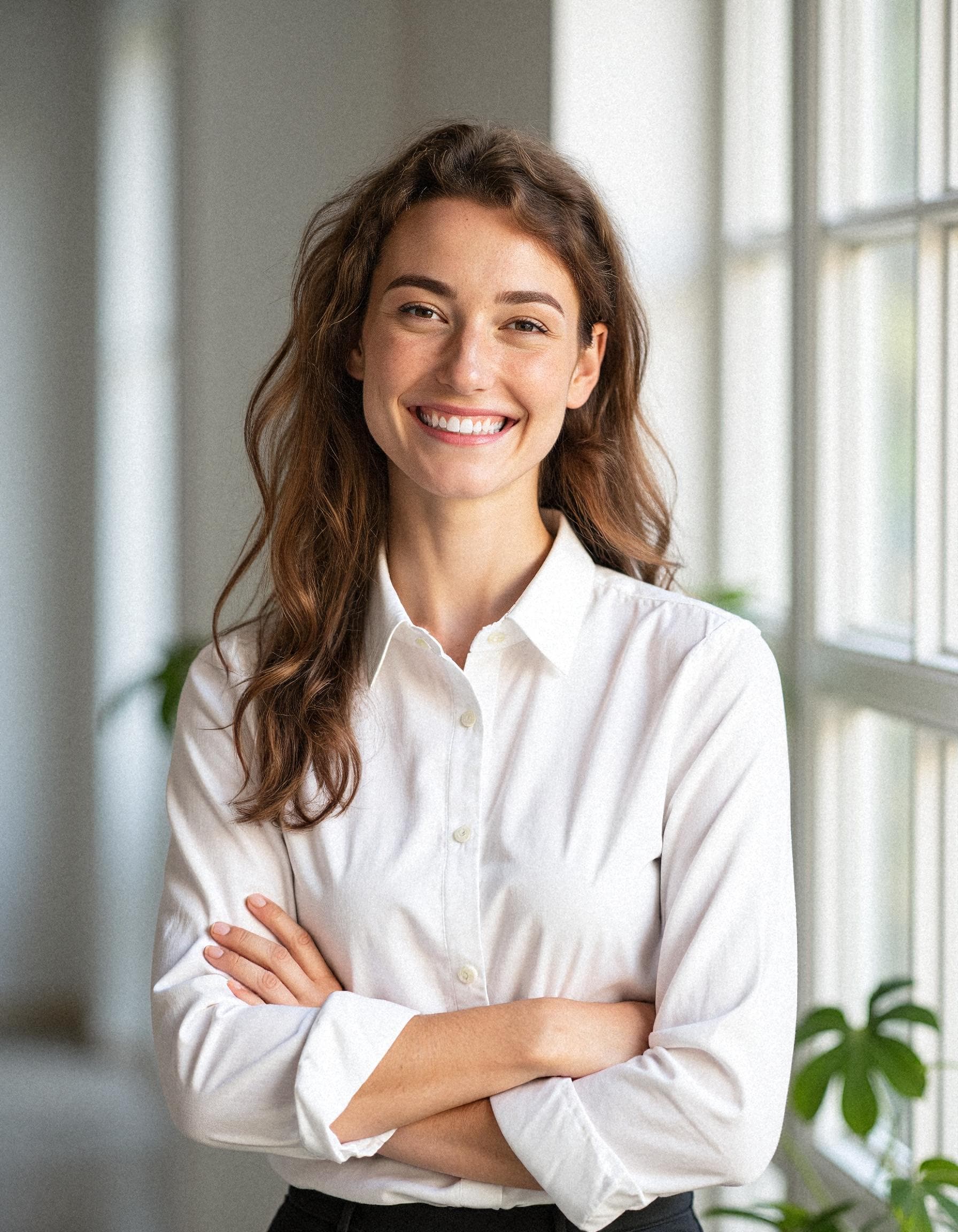
AI Headshots for Sales Professionals: Look Credible, Close More Deals
Why sales professionals need polished headshots for LinkedIn, email signatures, and company pages. AI headshots deliver 40+ studio-quality options from $29 in ~25 minutes.
Read article
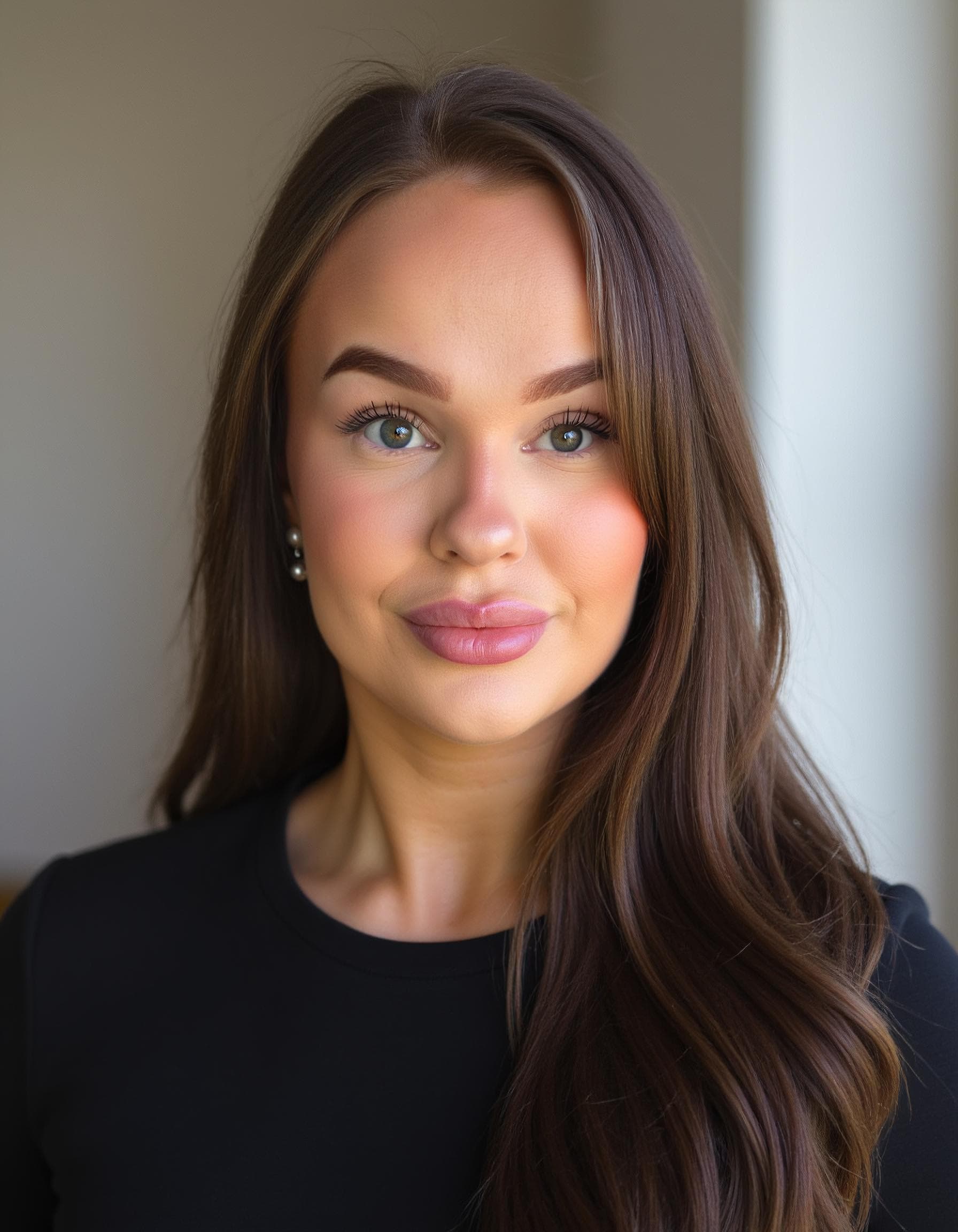
AI Headshots for Teams: Complete Guide for 2026
How to roll out AI headshots for teams of 5-500. Compare HeadshotPro, SnapProHead, and BetterPic for team features, pricing, and logistics.
Read article